
Product tagging
Link one or more products to each video. Shoppers see the price and can add to cart without leaving the player.
Built for Shopify merchants
ShopReels brings your Instagram reels, TikTok clips, and product videos onto your Shopify store. Tag the products in each video and let customers add to cart right from the player.
Free right now · Every feature included
What ShopReels does
Upload once, tag your products, and reuse the same videos across your homepage, collections, and product pages.
Link one or more products to each video. Shoppers see the price and can add to cart without leaving the player.
Pull videos from an Instagram or TikTok username or media URL, pick files you already have in Shopify, or upload from your computer.
When a shopper taps a video, a popup shows the tagged products, variants, and description next to the video.
A small autoplay video sits in the corner of your store and opens the full player when tapped.
Set your brand colors, carousel style, card templates, and overlay icons once and every widget follows them.
See views, clicks, add to carts, orders, and revenue for each widget and video on the Premium plan.
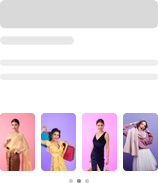
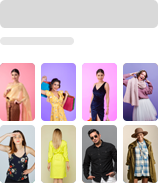
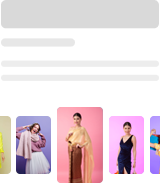
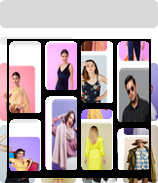
Four widget types
Create a widget in the app, copy its ID, and paste it into the matching ShopReels block in your theme editor.
Setup takes a few minutes
Upload files, choose from Shopify Files, or import reels from Instagram and TikTok.
Attach products to each video, then create a Media Section, Stories, Reel Pops, or Product Reels widget.
Add the ShopReels app block, paste your widget ID, and save your theme.
Player views
Pick one player for your store or let customers switch between all of them: Popup, Fullscreen, Coverflow, TikTok player, Mini player, and Mobile view.
Pricing
Get started with shoppable video
$0.00/month
FAQ
Create a widget in the app, copy its ID, then open your Shopify theme editor, add the matching ShopReels app block, and paste the ID.
You can upload from your computer, pick videos already in Shopify Files, or import from an Instagram or TikTok username or media URL.
Yes. Tag products on your videos and add the Product Reels block to your product template. It only shows on products that have tagged videos.
Yes. Stores that install ShopReels now get free access with all Premium features included: unlimited widgets, unlimited videos, and the analytics dashboard.
Install ShopReels, import a few videos, and publish your first widget in minutes.